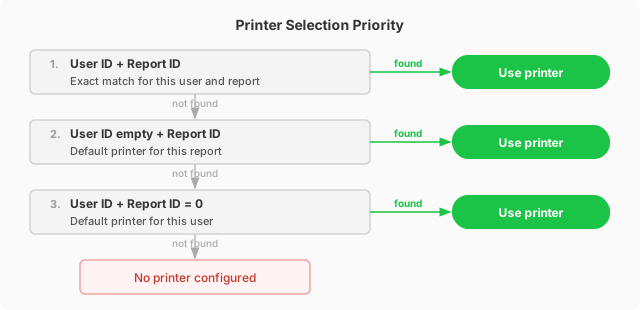
Printer Setup
Add Printers
Open the MSGreenTec Printer List via search. Add all network printers to be used for automatic printing.
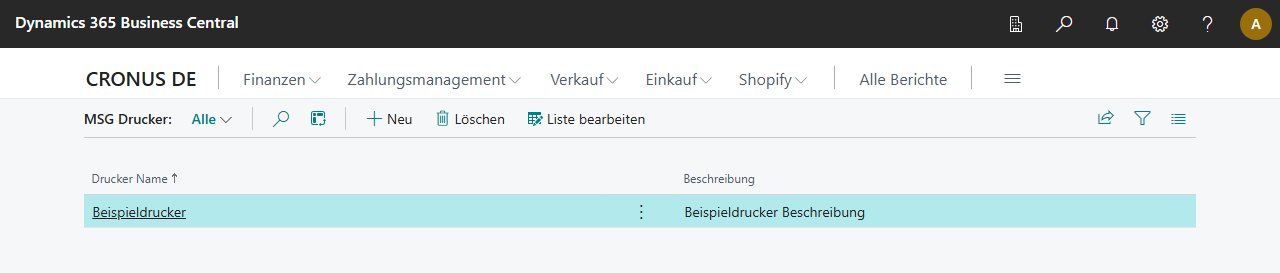
The Printer Name must exactly match the printer name as installed on the print server (e.g. \\PRINTSERVER\HP-Printer-1).
Printer-User Assignment
In MSGreenTec Printer Selection, define which printer is used for which user and report.
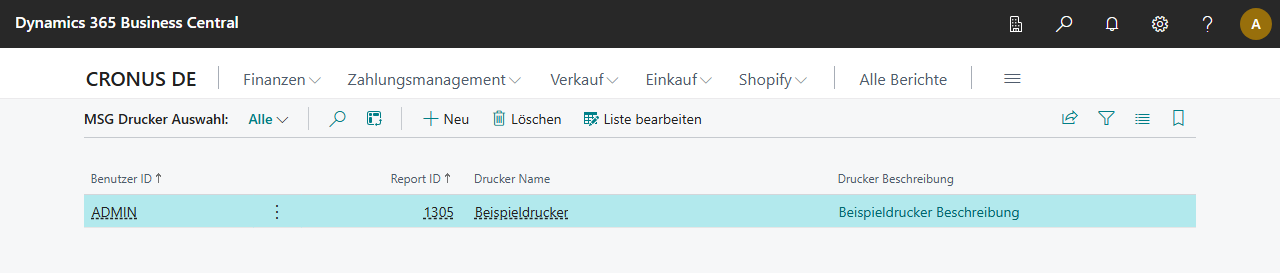
| Field | Description |
|---|---|
| User ID | BC username; empty = applies to all users (default) |
| Report ID | Report ID; 0 = applies to all reports |
| Printer Name | Printer from the Printer List |
Lookup priority when printing:
- User ID + Report ID (exact match)
- User ID empty + Report ID (default for report)
- User ID + Report ID = 0 (default for user)